For solo and mobile mechanics

Less desk work.
More time to grow the business.

One Wrench Pro is the iPhone app that does the paperwork around every job (the inspection report, the quote, the invoice, the reminders and the books) so your evenings go to cars and to the next customer, not to a laptop.

Coming soon to the App Store

See how it works

No account to create. Works offline.

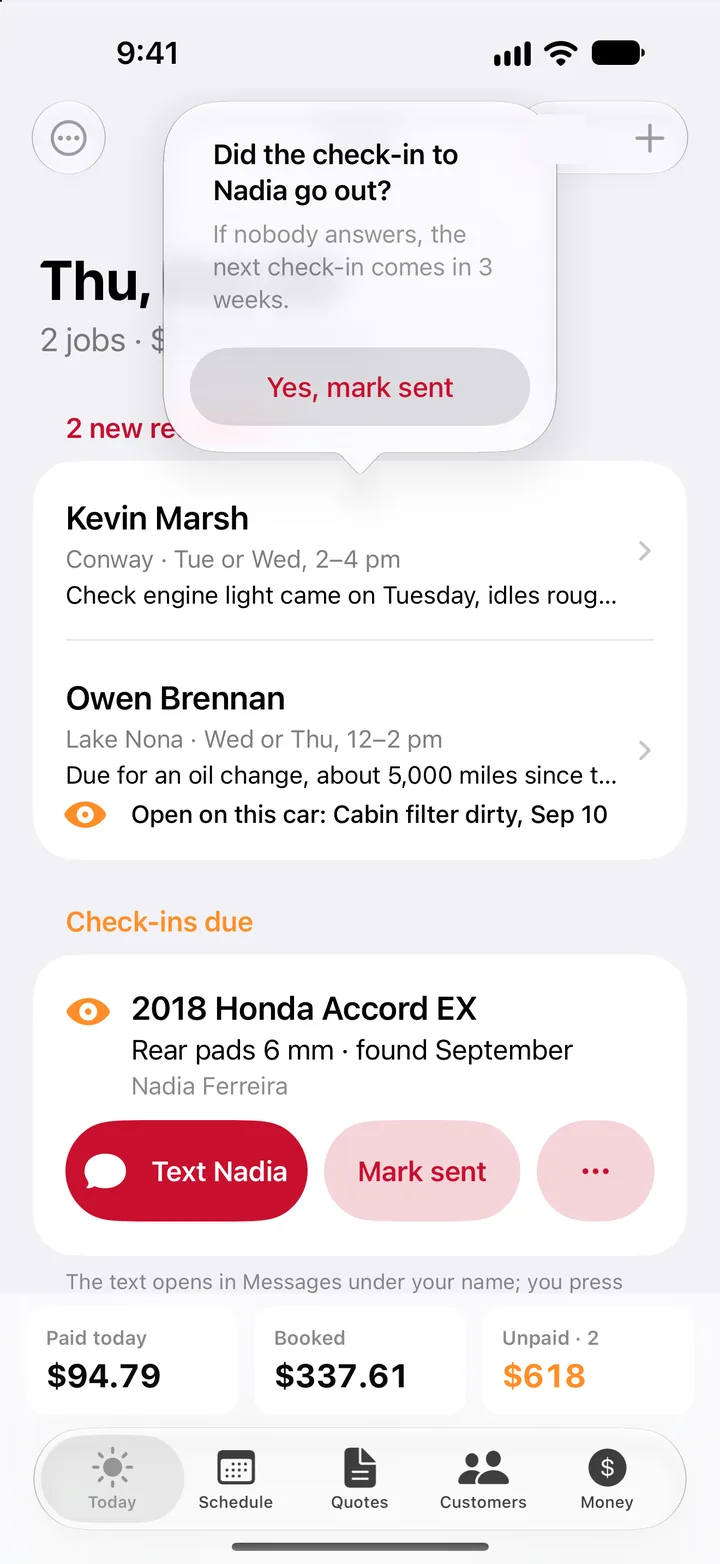
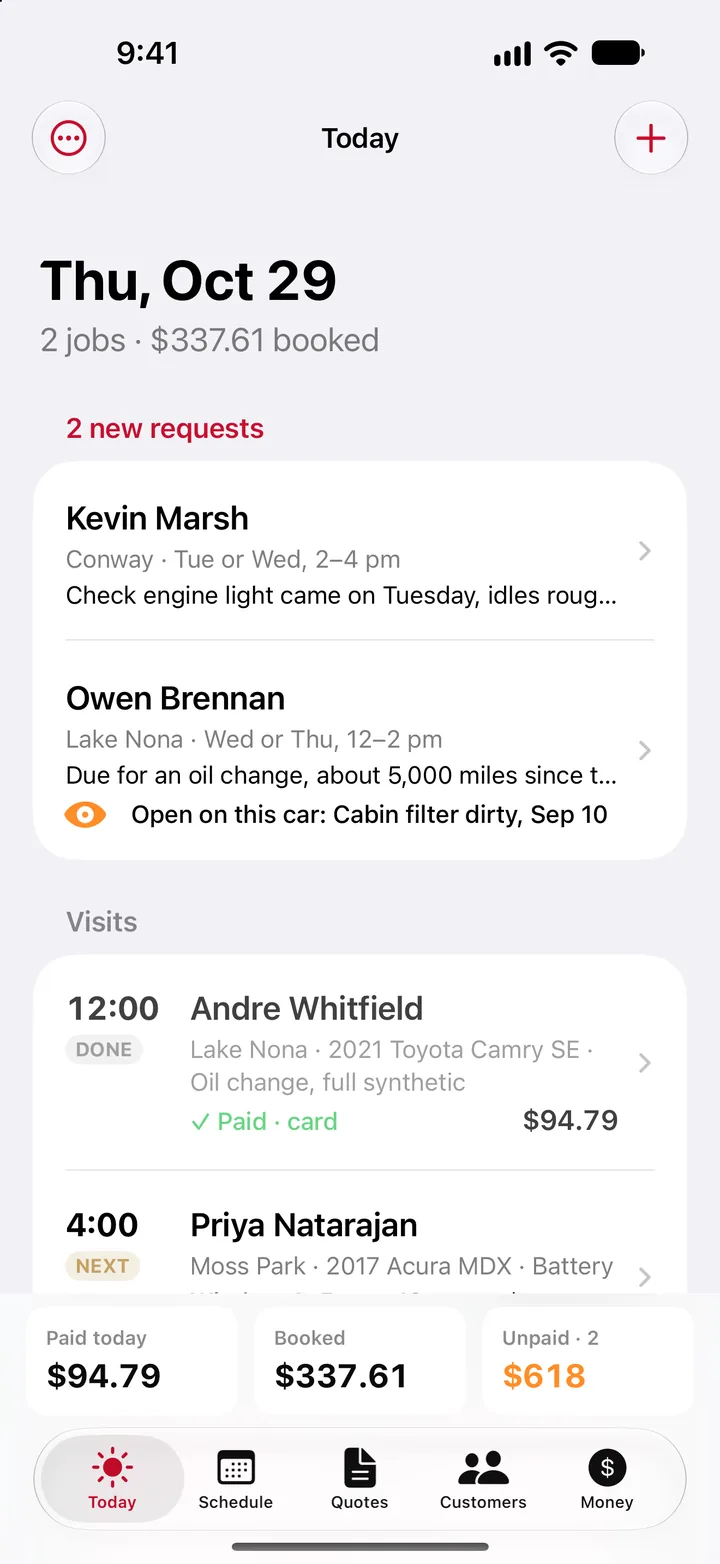
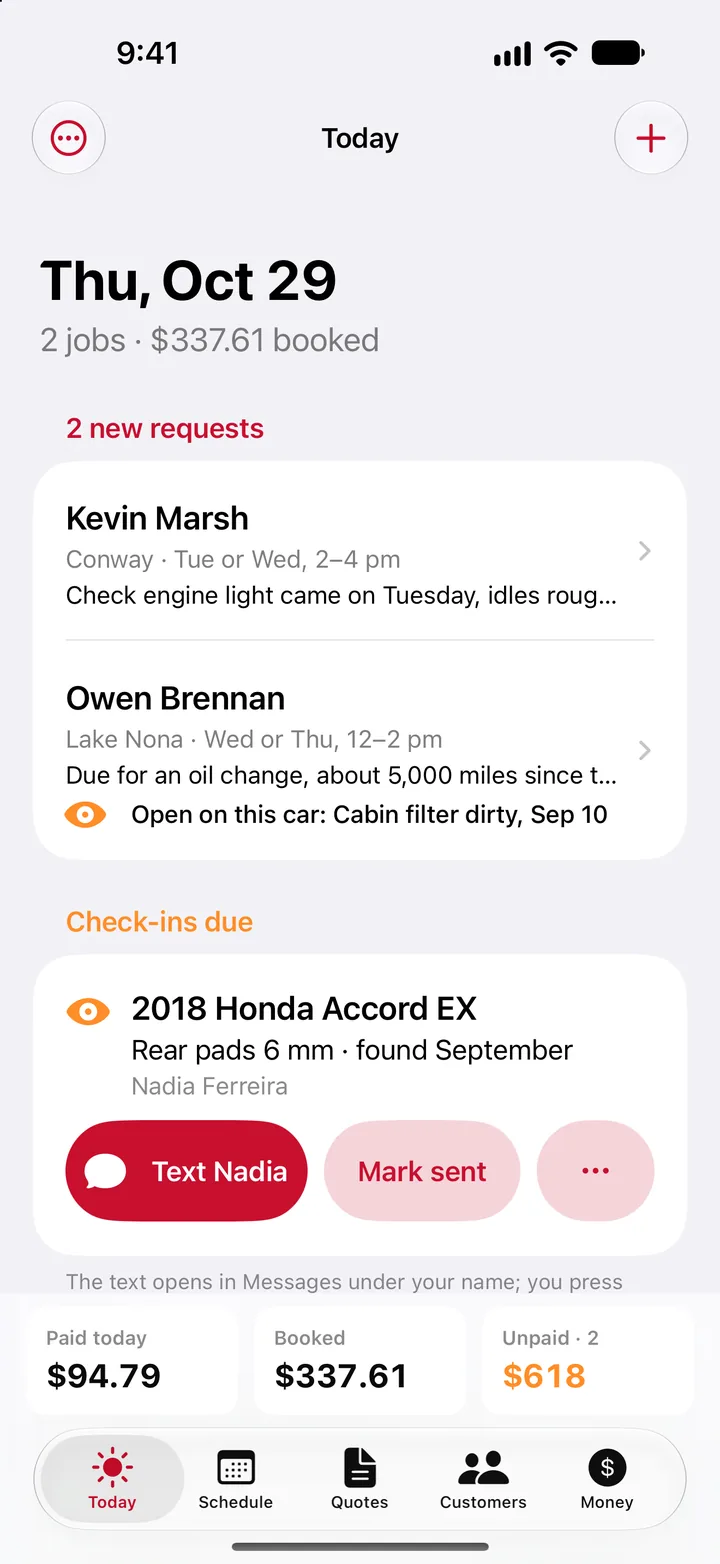
The Today screen: two jobs booked, two new requests from customers, a check-in due on a Honda Accord with a Text button, and the day's paid, booked and unpaid totals.
Real app screen, sample shop

The day it gives back

Five pieces of desk work the app takes off your hands, from the first look at the car to the month's numbers. Every screen here is from the app, filled with a sample shop's customers and prices.

1 · Inspect

The inspection report writes itself while you work.

Mark each item OK, watch or replace, snap the photo, type the reading. When you're done, the customer gets a clean report in your brand, with the photos, on a private link they open from a text.

No writing it up at night. The customer sees what you saw, and the report sells the work for you.
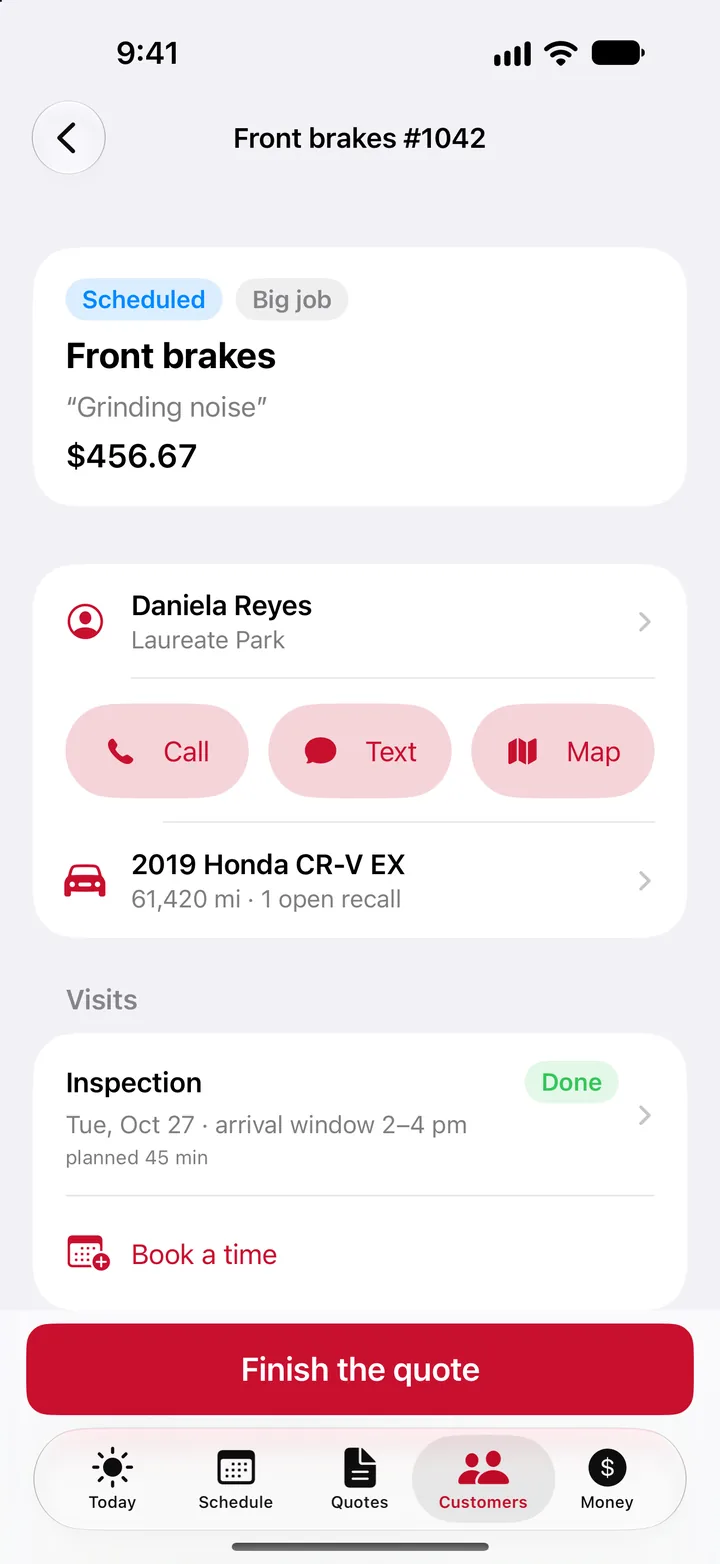
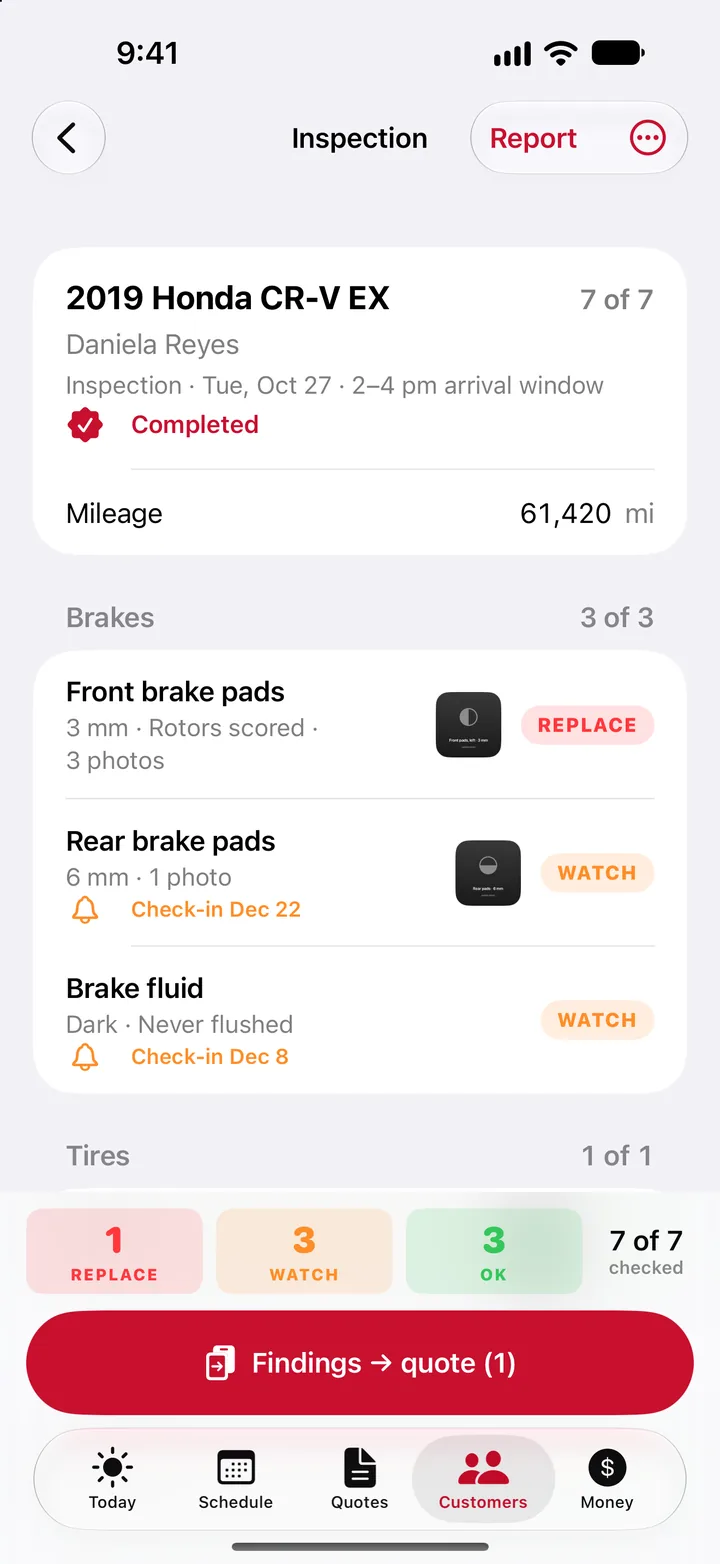
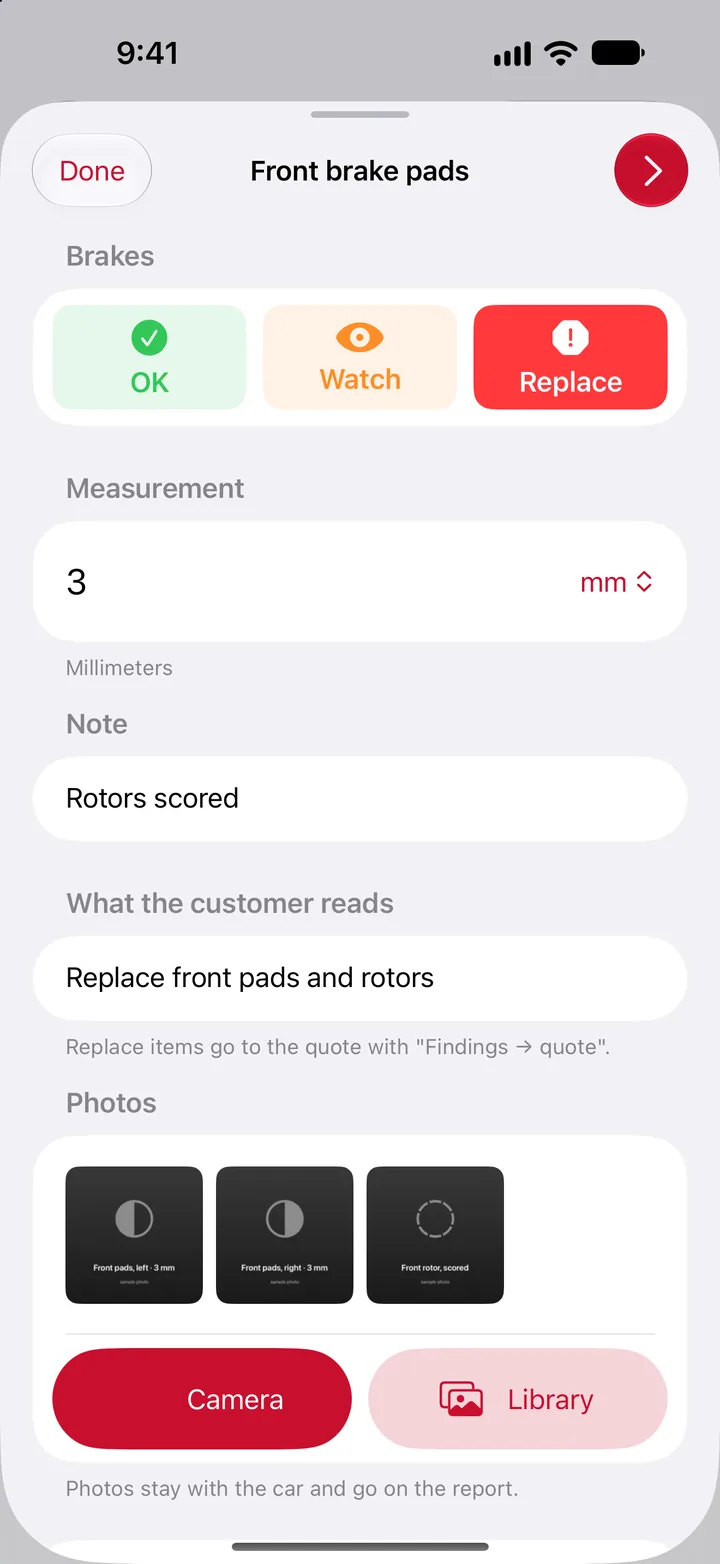
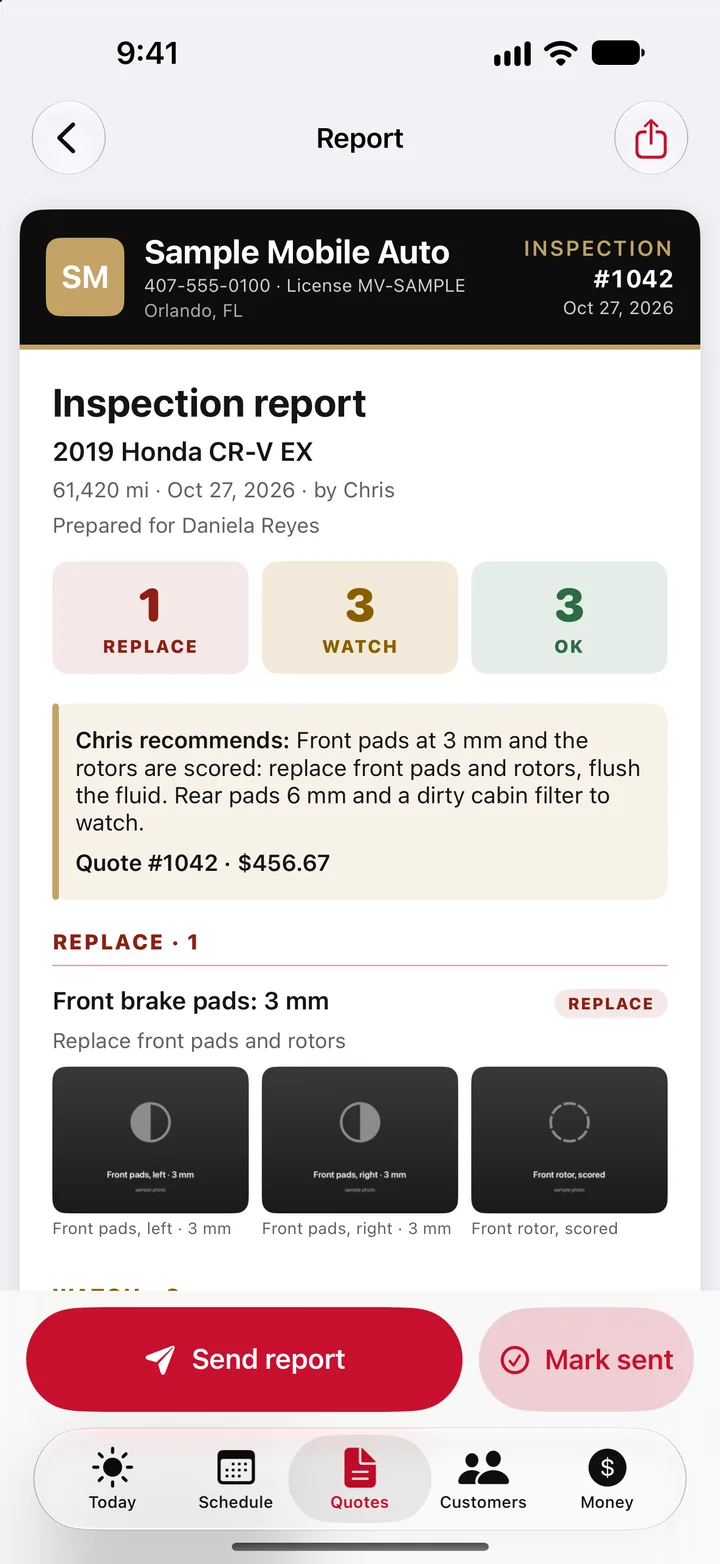
An inspection in the app: a job opens its inspection, the front brake pads are marked replace with a 3 mm reading and three photos, and the customer's report comes out with the findings and the shop's name on top.
Real app screens, sample shop
2 · Quote

The quote gets approved from a text, deposit included.

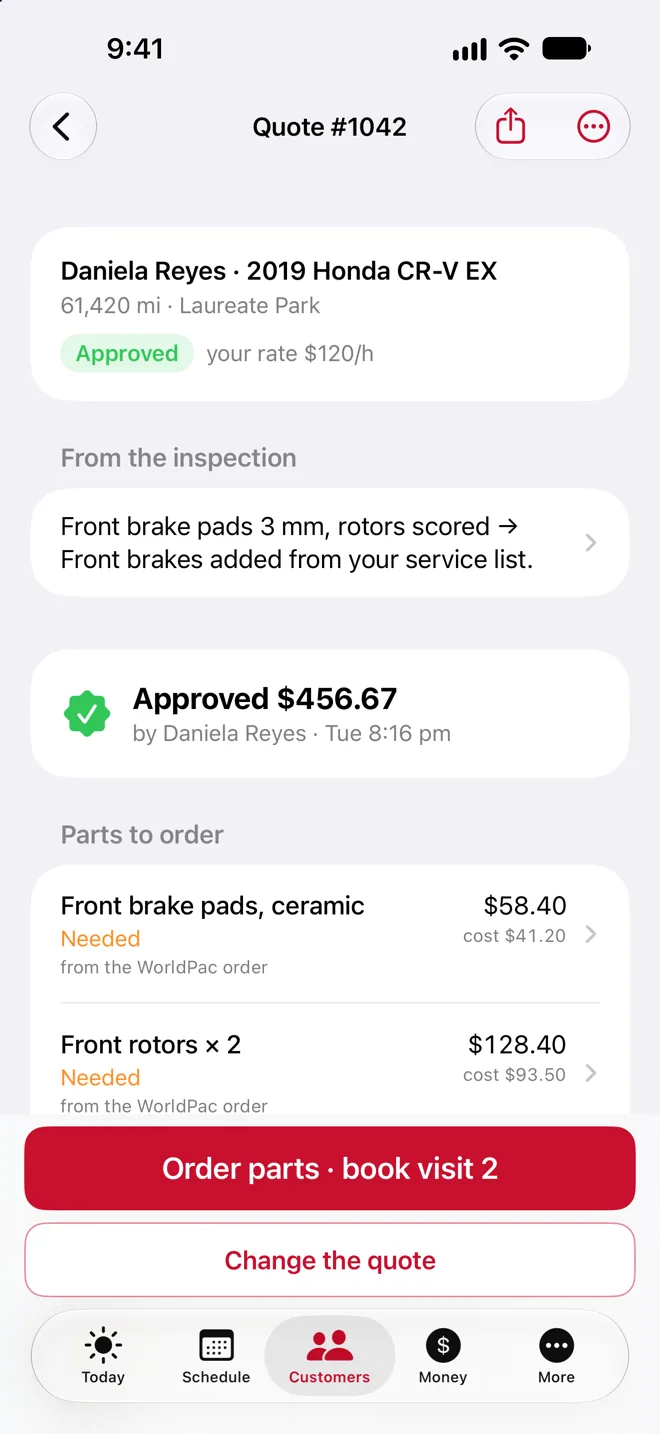
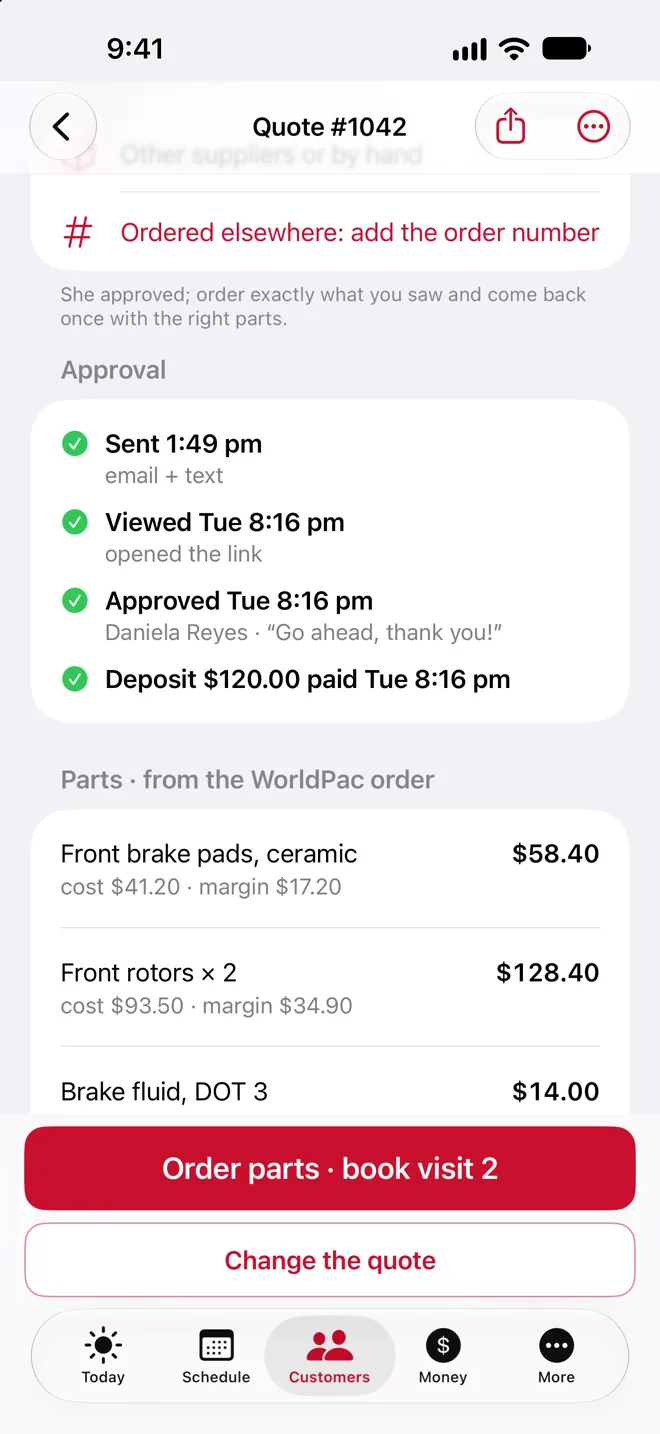
Your findings turn into a quote with one tap. Send it as a text from your own number; the customer opens it, types their name, taps Approve and pays the deposit by card. Your phone tells you the moment it happens.

No phone tag and no chasing a yes. You order the parts with the deposit already in.

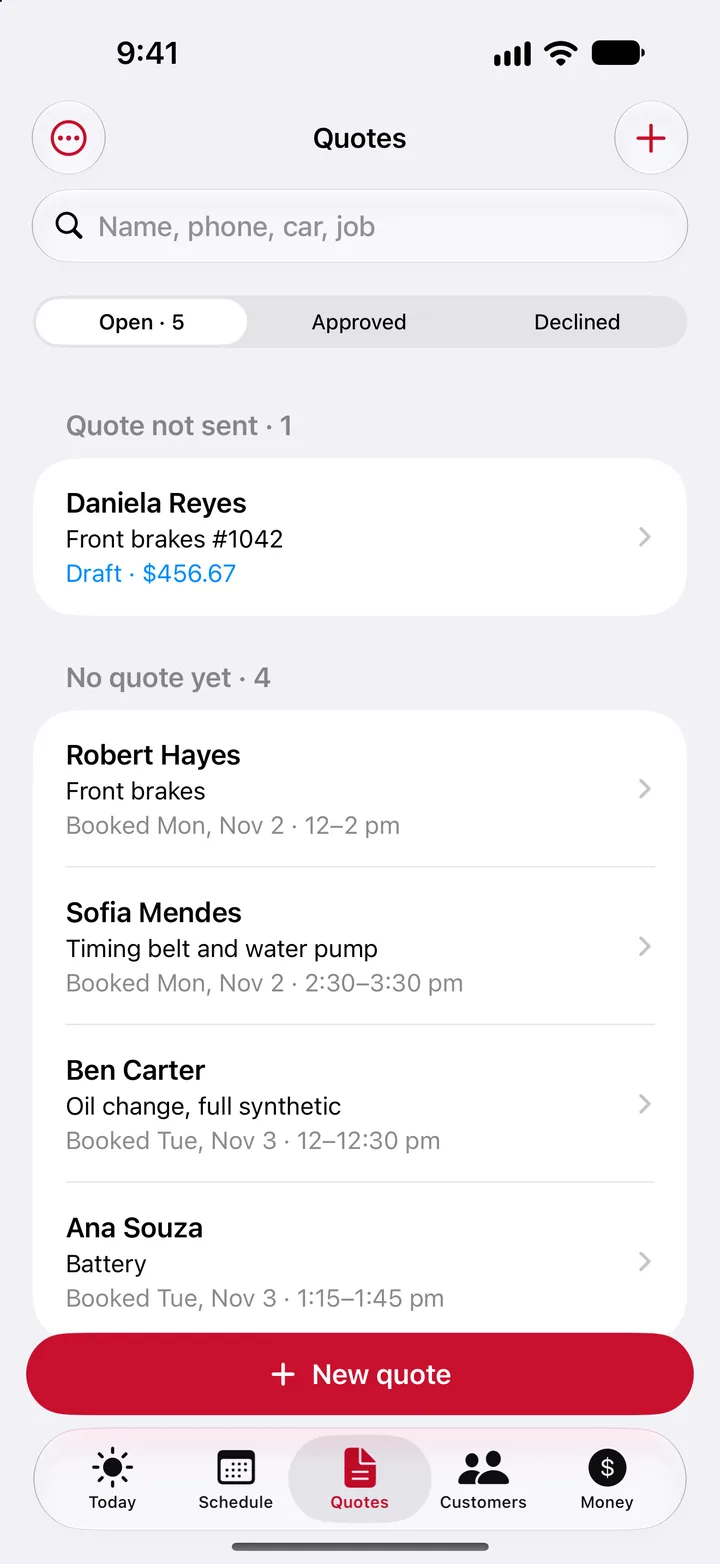
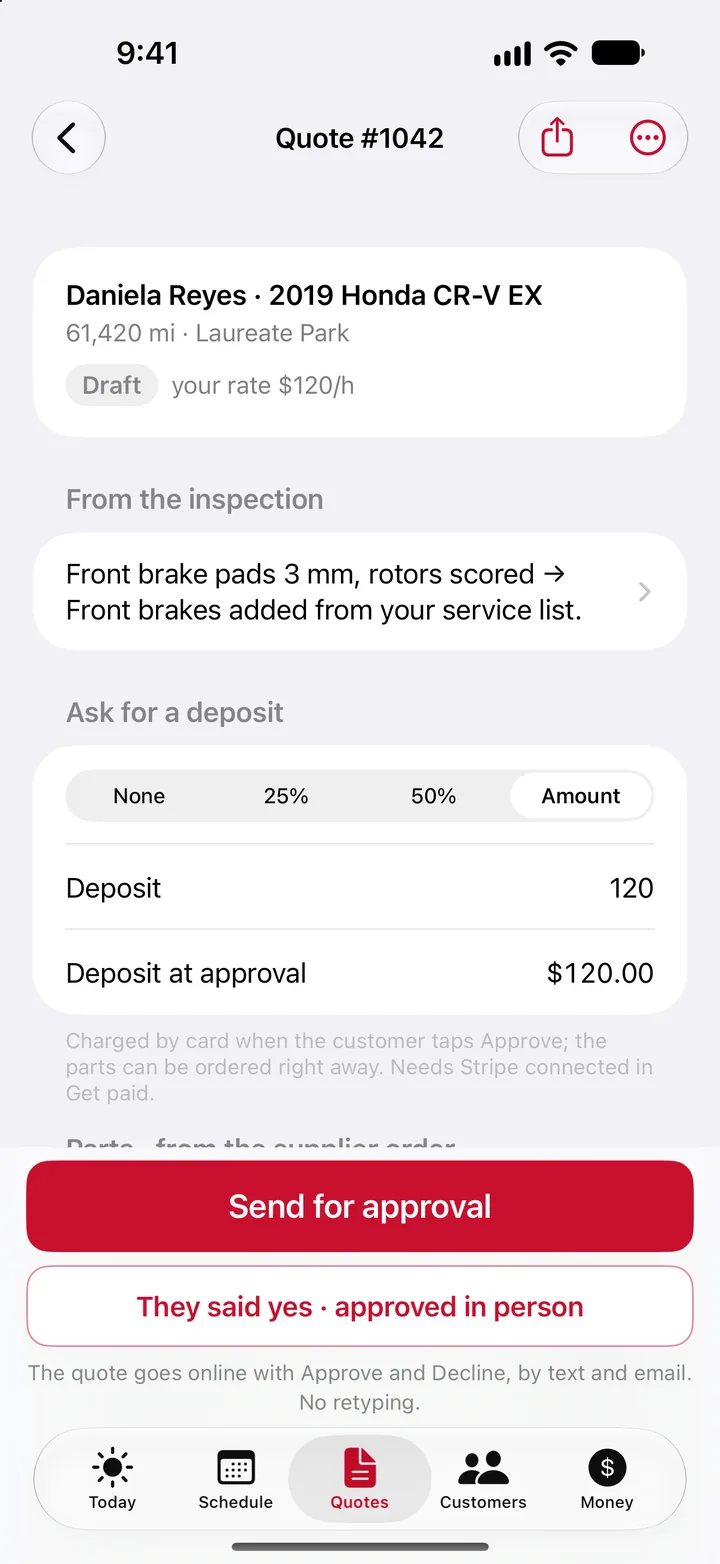
A quote in the app: the draft for a front brake job with a $120 deposit, sent for approval, then the same quote approved by the customer with the deposit paid.
Real app screens, sample shop
3 · Get paid

Paid in the driveway.

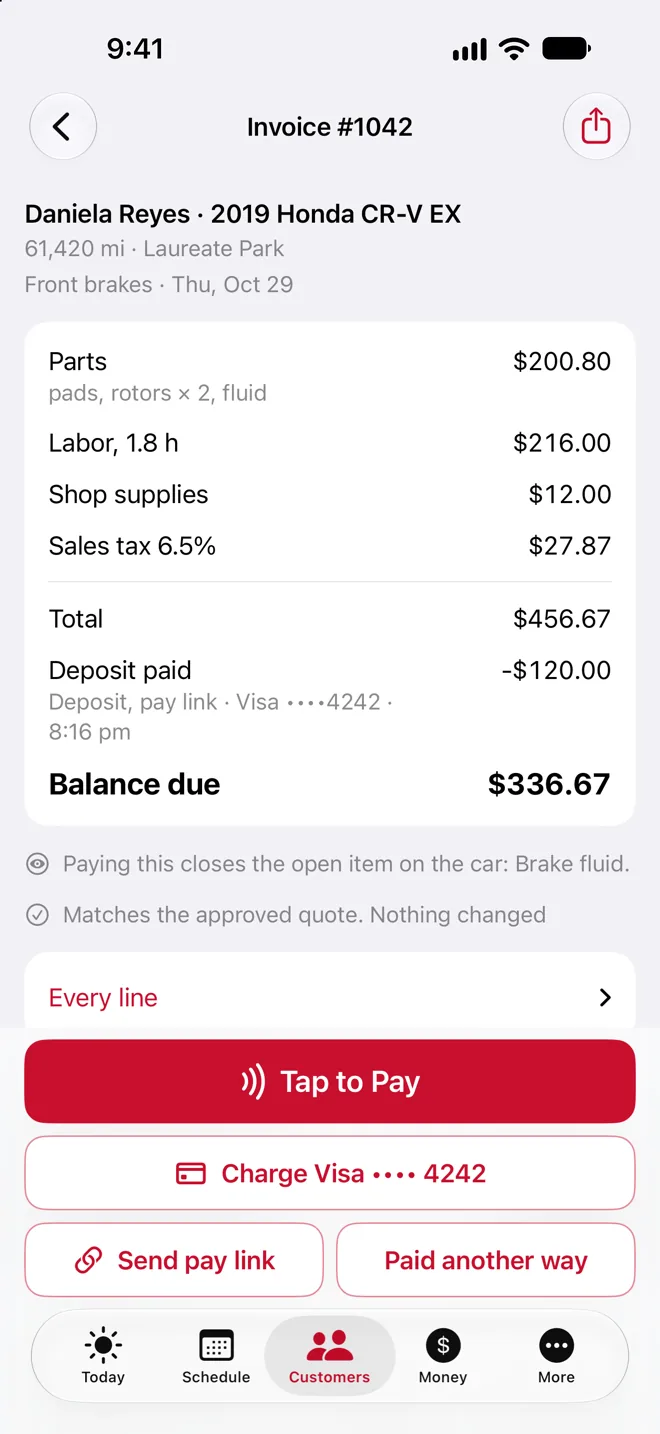
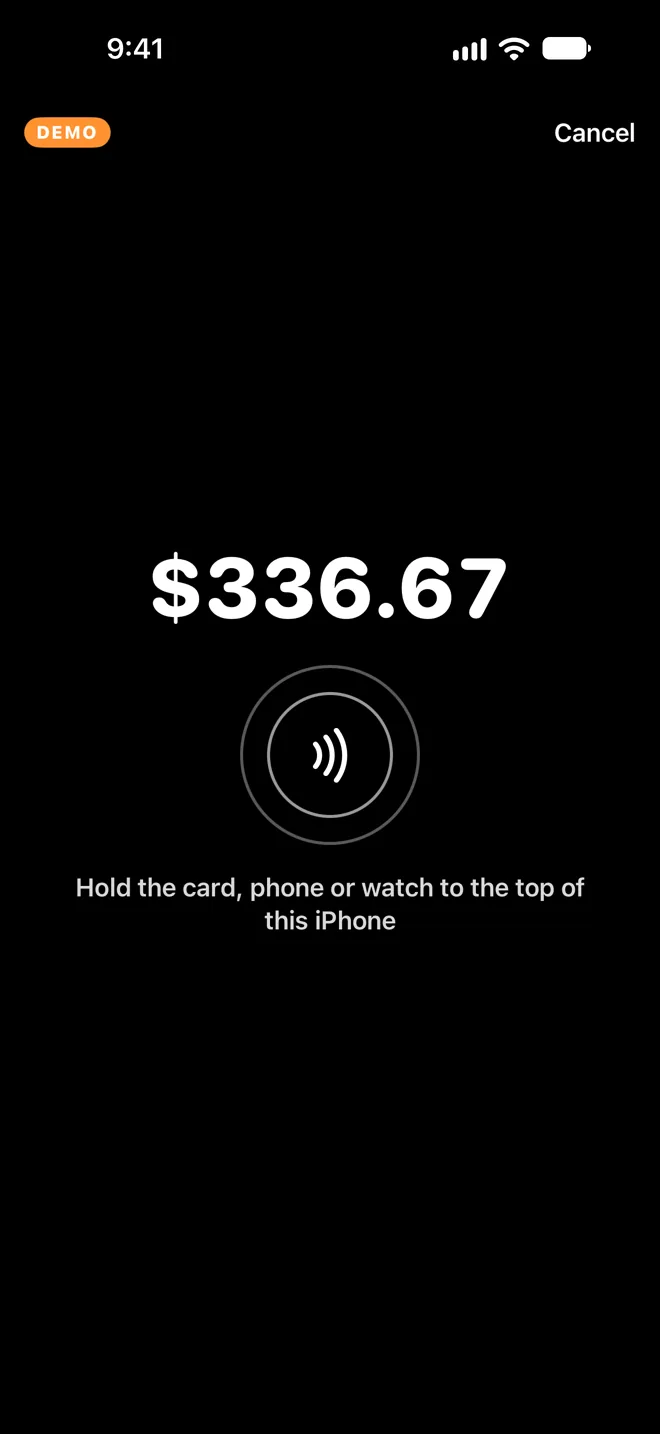
The invoice is built from the approved quote, deposit taken off. The customer taps their card or phone on the back of your iPhone with Tap to Pay on iPhone, no reader to carry. Not home? Send a pay link, or charge the card they saved with the deposit.

No invoices to chase at the end of the week. The money goes to your own Stripe account.

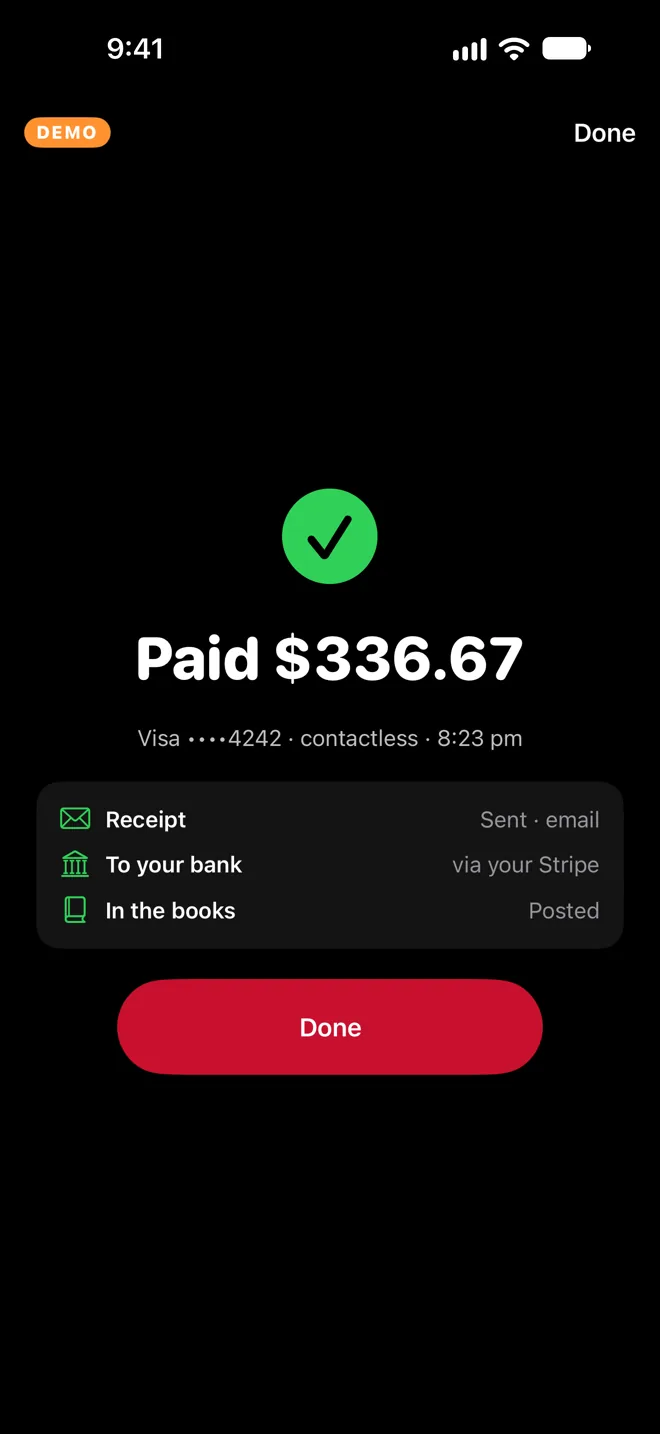
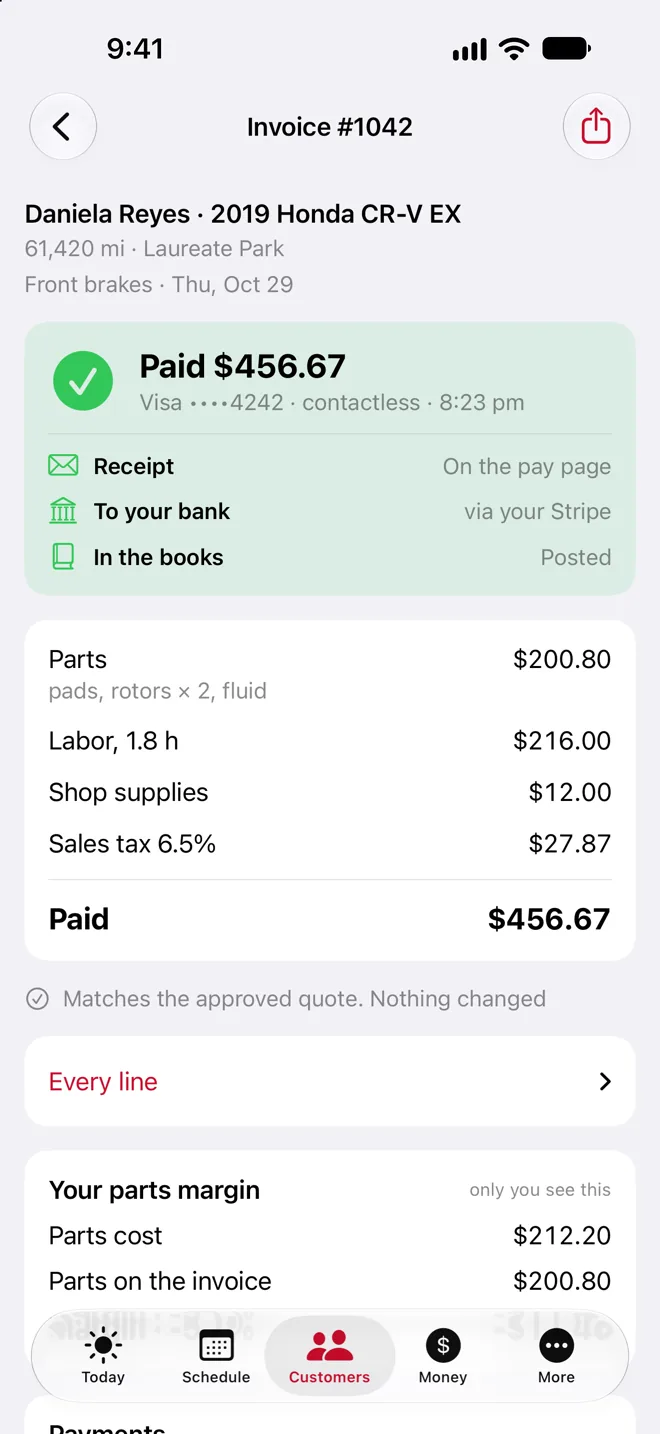
An invoice in the app with the deposit taken off, Tap to Pay, the saved card, a pay link and paid another way; the tap screen; Paid $336.67; and the invoice marked paid.
Real app screens, sample shop
4 · Follow up

Reminders and check-ins that send themselves.

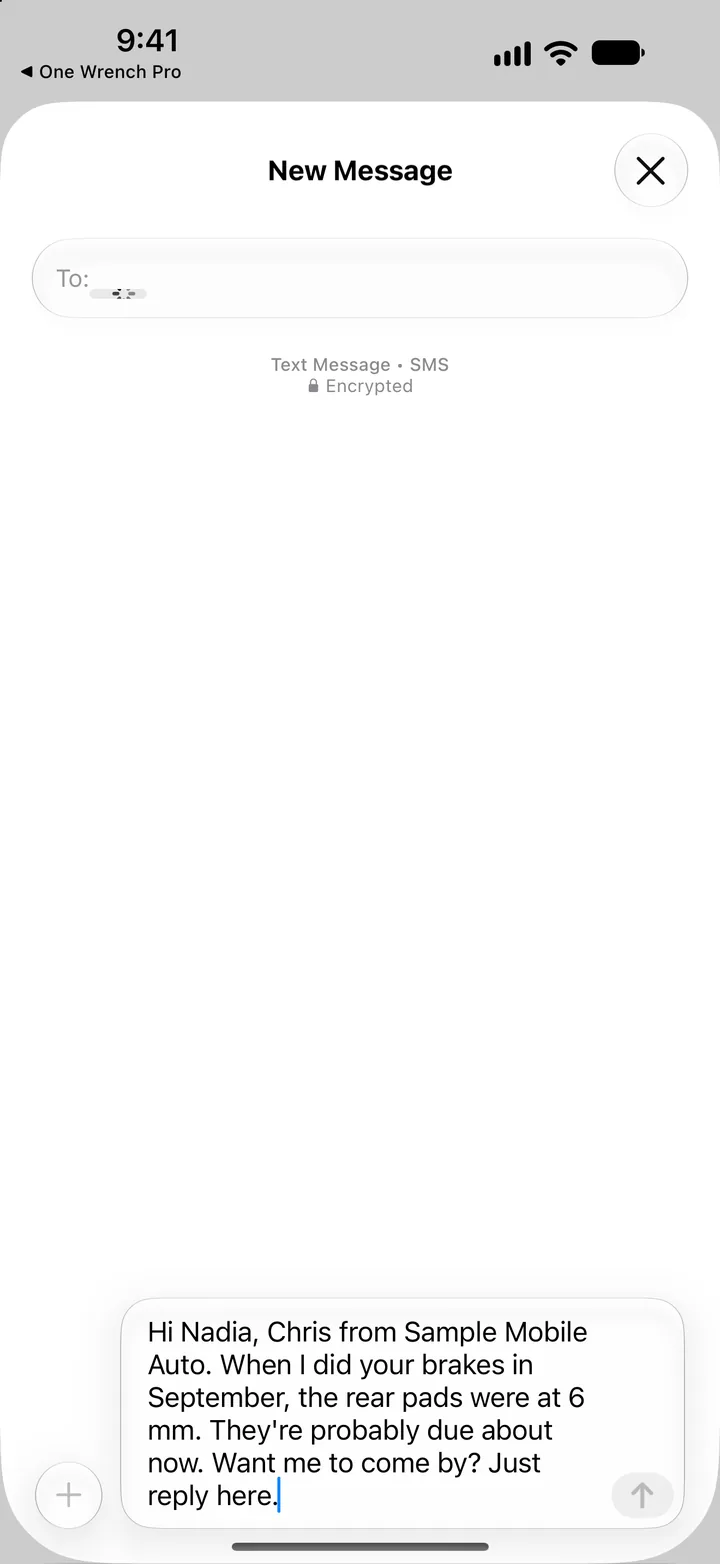
The day-before reminder, the receipt and the check-in when a watch item comes due go out by email in your name, on their own. When a text matters more, it's written and addressed for you: one tap in Messages and it's sent from your number.

No more forgotten follow-ups. The watch items you found last month come back as next month's work.

The Today screen with a check-in due: one tap on Text Nadia opens Messages with the text already written, then the app asks whether it went out and takes it off the list.
Real app screens, sample shop
5 · The books

The books are done when the month is.

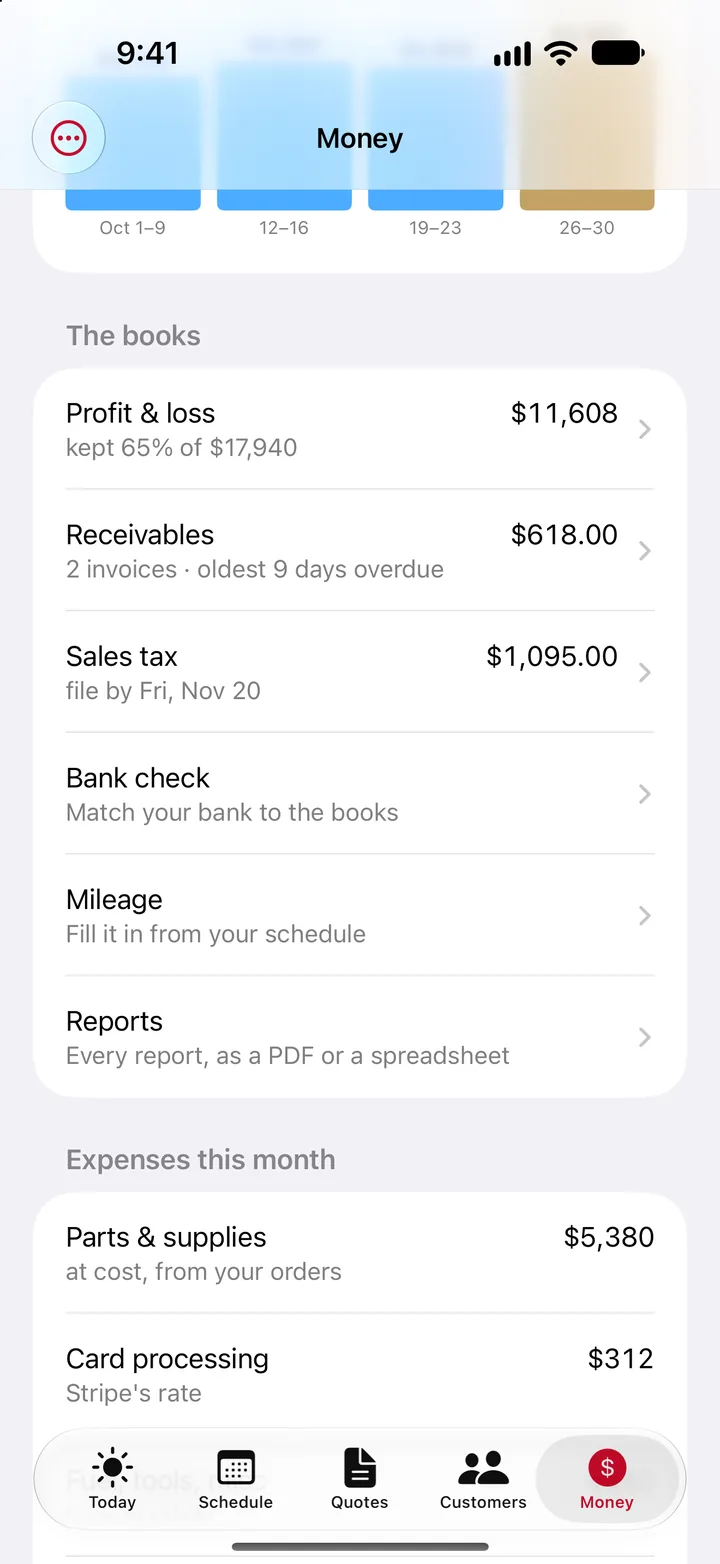
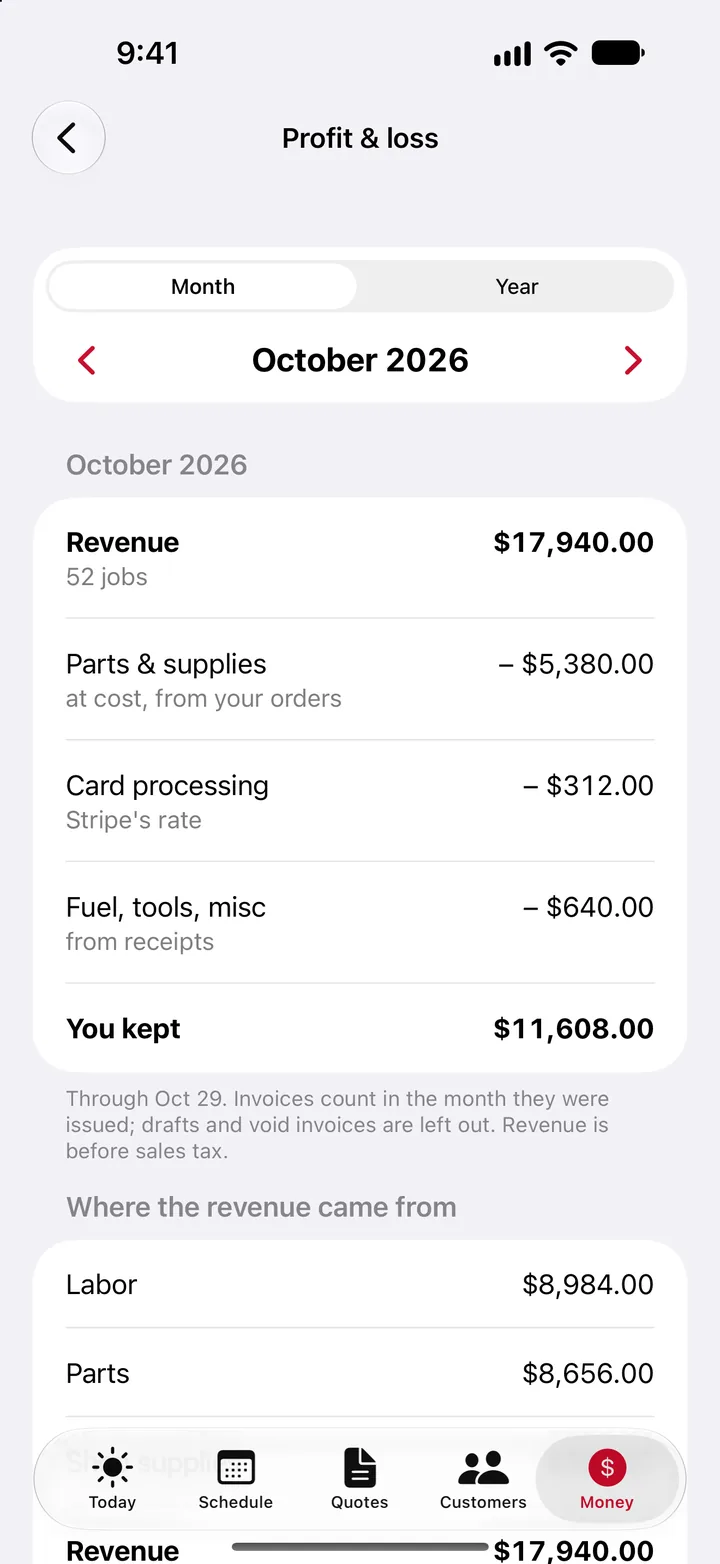
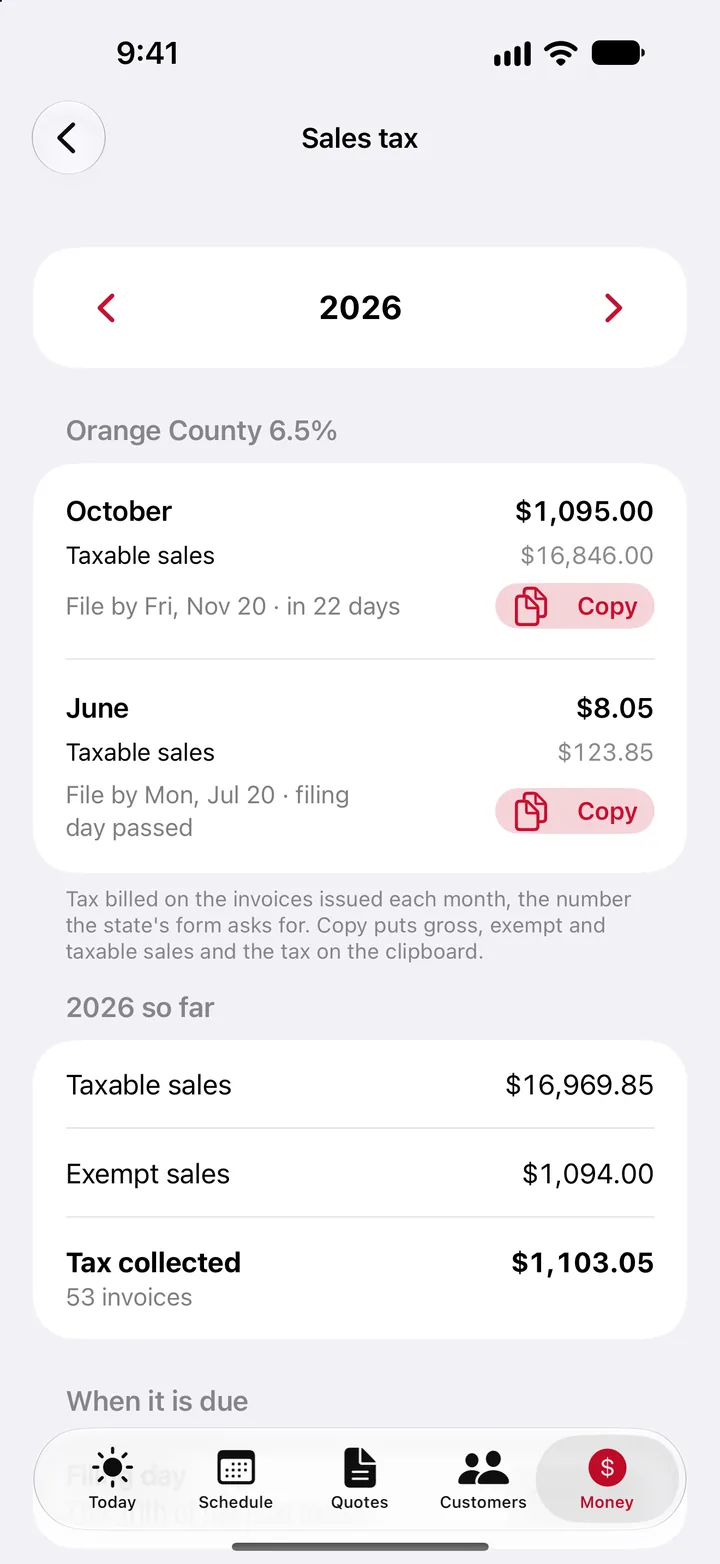
Every invoice, payment, card fee and receipt you snap lands in the books as it happens. Profit and loss, sales tax by month, unpaid invoices, and the files your accountant asks for, QuickBooks import included.

No shoebox of receipts and no weekend at the kitchen table. Hand your accountant one export.

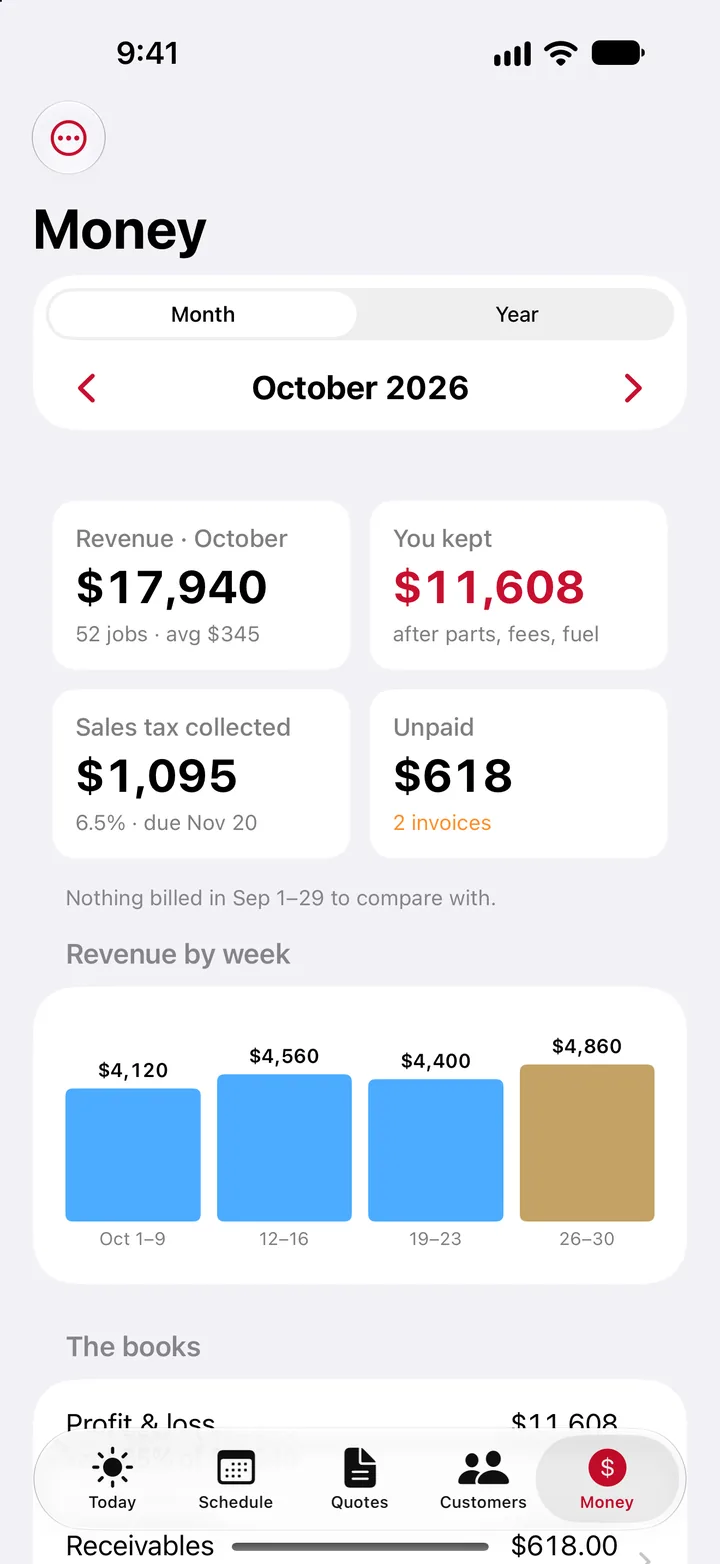
The Money screen for October: revenue, what the shop kept, sales tax and unpaid invoices, then the books list, profit and loss, and sales tax by month.
Real app screens, sample shop

And the rest of the job

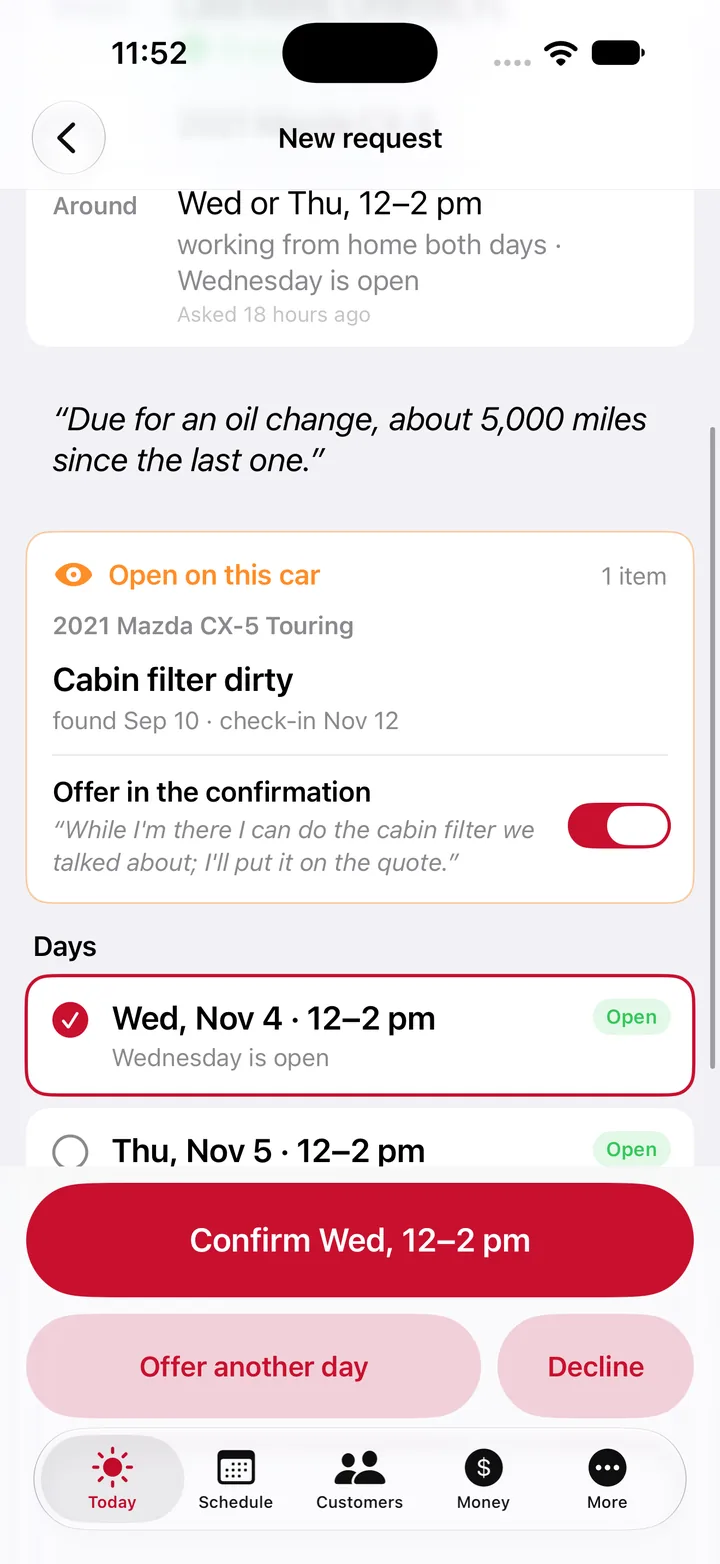
A new request: the customer's note, the open item on their car, the days they're home, and a button to confirm a day and an arrival window.
Requests, not time slots. The customer says what's wrong and when they're home. You confirm a day and a window with one tap.
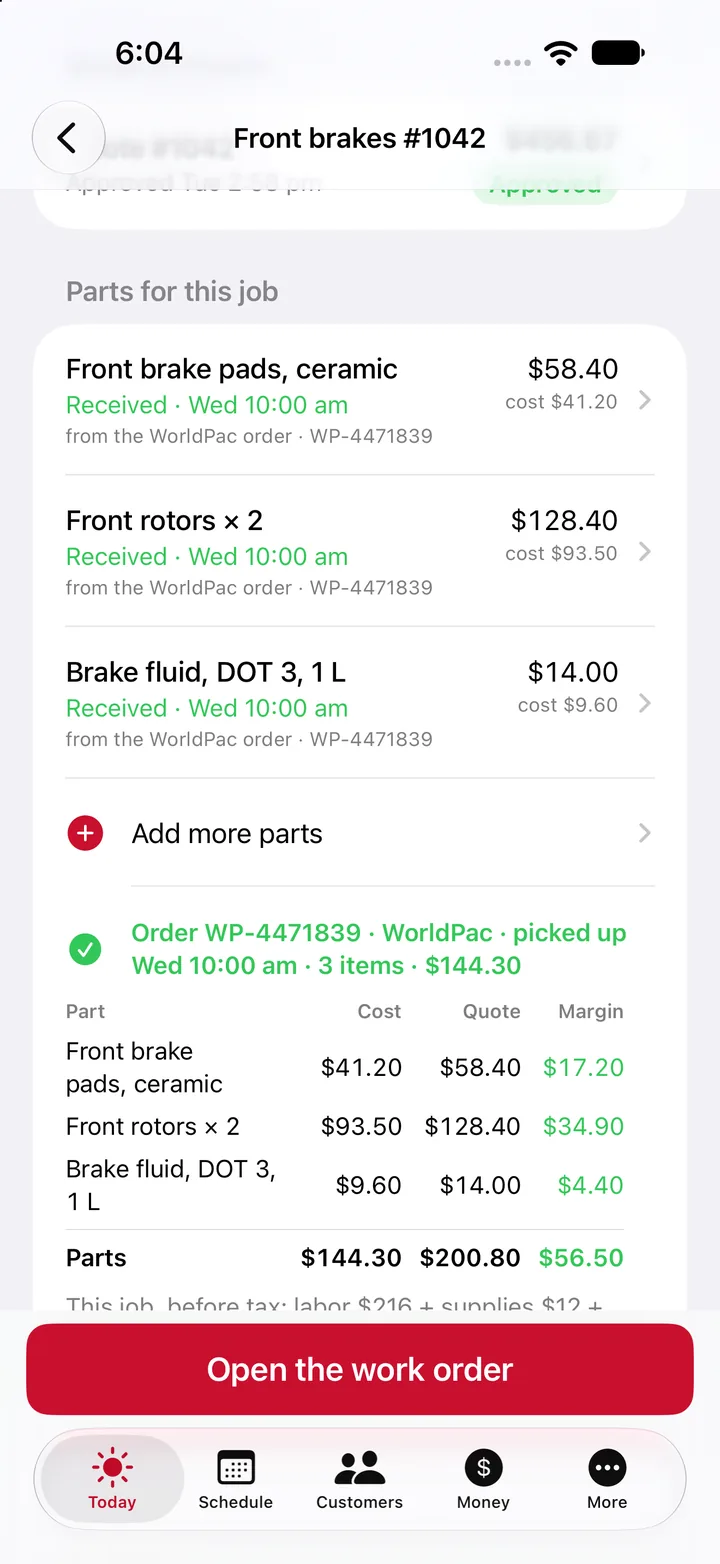
The parts on a brake job, each with its price and cost, and the order's margin.
Parts on the job. Order from PartsTech or WorldPac on your own account, and see the cost, the price and the margin.
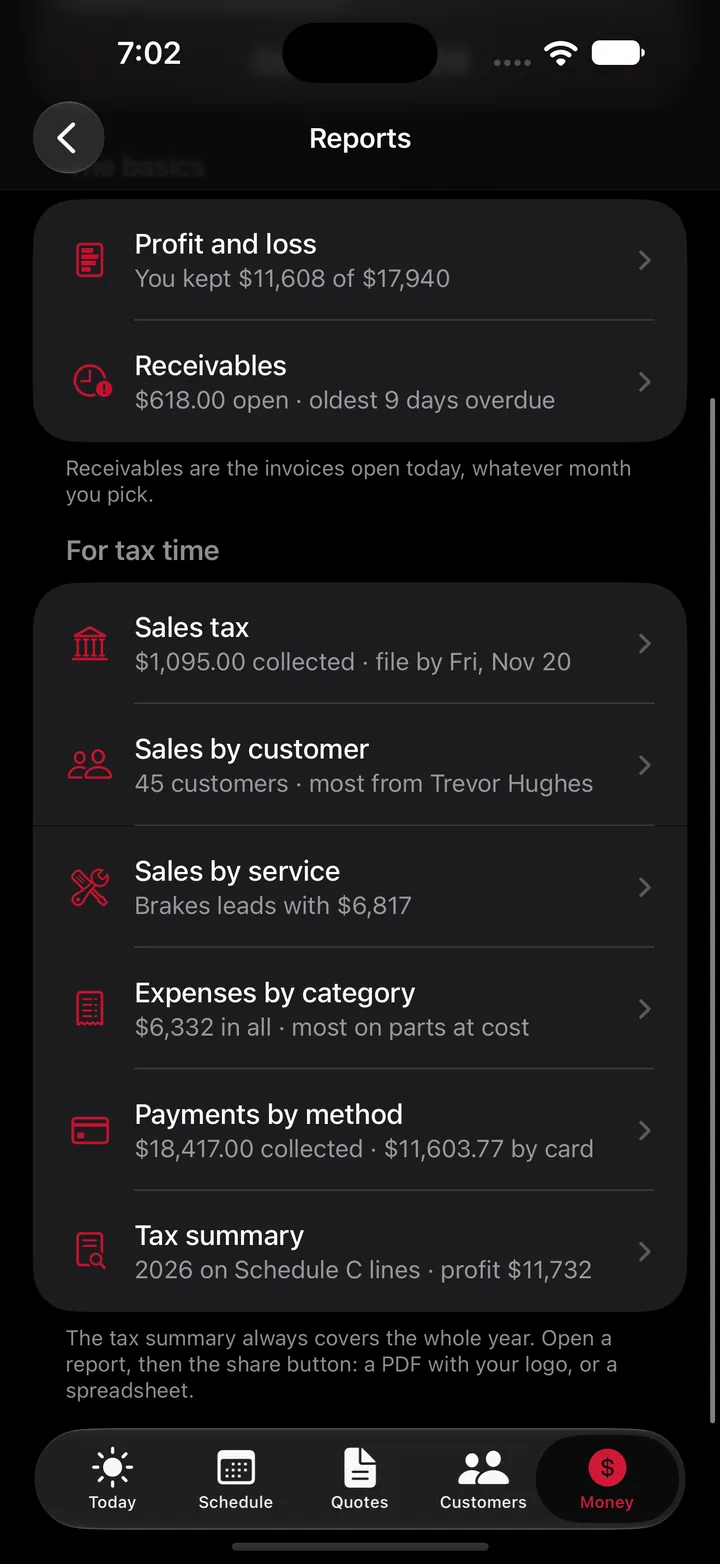
The Reports screen in dark mode: profit and loss, receivables, sales tax, sales by customer and by service, expenses, payments and a tax summary.
Reports for tax time. Sales tax, expenses and a tax summary, ready as a PDF with your logo or a spreadsheet.

Real app screens, sample shop.

Your records stay on your phone and in your iCloud

Your customers, their cars, every inspection, quote and invoice, and your books live on your iPhone and in your own iCloud, not on our servers. That's why there's no account to create and nothing stops working in a dead zone.

  • New phone? Sign in with the same Apple ID and everything comes back.
  • Customer pages (a report, a quote, a pay link) pass through our small relay only for as long as the link lives, then they're gone.
  • No ads, no tracking, no selling your data. We never see your customer list or your books. Read the privacy policy.

Pricing

Start free and run real jobs on it. Move up when you want the work that runs on its own. No plan charges per device or per tech.

Free

$0

For as long as you like.

4% platform fee on card payments, plus Stripe's processing rate.

  • Your logo, colors and name on everything
  • Customers, vehicles, VIN scan and decode, recalls
  • Inspections with photos and the report link
  • Quotes, invoices and PDFs, sent by text or email: up to 10 invoices a month
  • Quotes approved online and pay links, deposits included
  • Tap to Pay on iPhone and card on file
  • Check-ins when watch items come due, one tap in Messages
  • iCloud sync, backup and export; basic totals

Starter

$29.99 a month

For the shop past 10 invoices a month.

No platform fee, only Stripe's processing rate.

  • Everything in Free
  • No invoice limit

Shop

$149.99 a month

All in.

No platform fee, only Stripe's processing rate.

  • Everything in Pro
  • Your website, on your own domain
  • Business email
  • The customer garage page: their cars, quotes, invoices and what's coming due

These are the plans we expect to launch with, and they can change before the app is out. Card payments go through your own Stripe account, and Stripe charges its standard processing rate. On Free, our platform fee comes out of each card payment and shows in your books. A job paid another way, you record yourself, with no fee.

On Android?

The app is on iPhone first. Leave your email and we'll tell you when it's on Android.

We use your email only for this, and delete it if you ask. Read the privacy policy.

Questions

When can I get it?

Soon. One Wrench Pro is in testing with a working mobile mechanic now, and the App Store is next. Write to hello@onewrenchpro.com if you'd like to hear when it's out.

Do I need to create an account?

No. Open the app, put in your business name, logo and colors, and start. To take cards you connect your own Stripe account from the app, which takes about ten minutes.

Do my customers need the app?

No. They get a text or an email with a link that opens in their browser: the report, the quote, the pay page, the receipt. No download, no sign-up.

Does it work without signal?

Yes. Everything is saved on your phone first and syncs to your iCloud when you're back online. Sending a link or taking a card needs a connection.

Does the app send texts by itself?

iPhone apps can't send texts on their own, so the app writes the text, addresses it and opens it in Messages; you tap Send and it goes from your number. The messages that go out by themselves (reminders, receipts, check-ins) go by email in your shop's name, with replies coming to your email.

Is there an Android version?

Not yet. One Wrench Pro is on iPhone first. Leave your email and we'll tell you when it's on Android.

More questions and how to reach us